Chumba Casino App Guide: Official Access Mobile Play and Security
Chumba Casino App Guide: Official Access, Mobile Play, and Security
People searching for the Chumba Casino app may find several different products, including the main Chumba platform, a browser-installed progressive web app, Chumba Casino Lite, Chumba Casino Mini, unofficial guides, and unrelated apps using similar wording.
The safest approach is to begin at the official Chumba Casino website and follow only the access or installation instructions provided there.
Security warning: Do not enter a Chumba Casino password, verification code, identification document, or payment information into an app or website that cannot be confirmed through official channels.
Is There a Chumba Casino App?
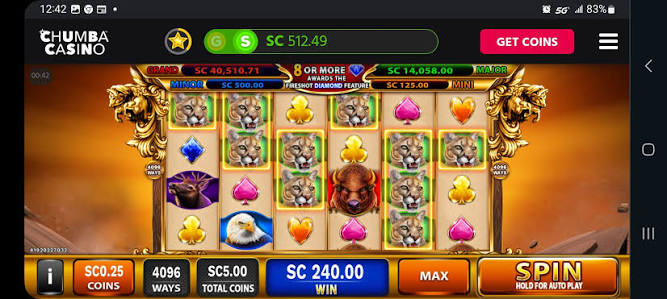
Chumba Casino can be accessed through mobile-friendly official channels. Depending on the device and current product availability, users may encounter browser access, an app-store version, an installable progressive web app, or separate related apps.
These options should not be treated as interchangeable:
| Option | Purpose | What to Check |
|---|---|---|
| Official mobile website | Access the main Chumba Casino account through a browser | Confirm the official domain and secure connection |
| Progressive web app | Add an app-like shortcut and full-screen experience | Install only through official website instructions |
| Official app-store access | Use a supported native mobile application | Verify the developer and linked official website |
| Chumba Casino Lite | Free social slot entertainment | It is separate from the main sweepstakes platform |
| Chumba Casino Mini | A smaller selection of mobile social slots | Review the exact product and virtual-currency rules |
Using the Official Mobile Website
A mobile browser can provide access without requiring a traditional app download. This can be useful when app-store availability differs by device or location.
Before logging in:
- Type the official domain directly or use a saved trusted bookmark.
- Check the spelling carefully.
- Confirm the browser displays a secure connection.
- Avoid login links sent through unsolicited messages.
- Do not continue if the page requests unusual payment or security information.
What Is the Chumba Casino PWA?
A progressive web app, or PWA, is a website that can be installed on the device’s home screen and opened in an app-like window. It can provide quicker access without requiring a conventional app-store installation.
A PWA may offer:
- A home-screen icon
- Full-screen browser-based access
- Faster return to the account
- Optional push notifications
- The same core login used on the official website
Install the PWA only from the official Chumba Casino site. A third-party shortcut or copied installation page could direct users to a fraudulent login screen.
Installing a PWA on Android
The exact menu can vary by browser, but the general process is:
- Open the official Chumba Casino website in a supported browser.
- Sign in or remain on the official landing page.
- Open the browser menu.
- Select the available “Install app” or “Add to Home screen” option.
- Confirm the displayed site name and domain. If the browser does not show an installation option, use the mobile website rather than downloading an unofficial file.
Installing App-Like Access on iPhone
On an iPhone, users may be able to create a home-screen shortcut through Safari:
- Open the official website in Safari.
- Select the Share control.
- Choose “Add to Home Screen.”
- Review the displayed name and address.
- Add the shortcut. This type of shortcut is not necessarily the same as a native App Store application. The website remains the source of the content.
How to Identify an Official App Listing
Do not rely only on the icon, screenshots, or number of reviews. Check the complete listing.
- Developer or publisher name
- Official website link
- Privacy-policy link
- App description
- Age rating
- Supported country or region
- Recent update history
Search results can include fan-made guides, unrelated social games, and apps that use Chumba-related phrases without operating the official platform.
Chumba Casino App Login
The official account login may require a registered email address, phone number, password, or one-time verification code, depending on the current account and security process.
A login verification code can be requested after:
- Using a new device or browser
- Clearing cookies or site data
- Changing account details
- Triggering an additional security check
- Recovering access to an account
Never share a one-time password or verification code with a person claiming to be customer support.
App Permissions
Mobile access may request permissions related to location, notifications, camera use, or device information.
| Permission | Possible Reason | Safety Check |
|---|---|---|
| Location | Confirming geographic eligibility | Do not use tools that falsify location |
| Camera | Uploading identity-verification documents | Use only inside the verified account process |
| Notifications | Account alerts, updates, or promotions | Disable marketing alerts that encourage unwanted play |
| Biometric login | Faster protected access | Secure the device with a strong passcode |
Fake Chumba App Warning Signs
- The app asks users to send money to an individual.
- The developer name cannot be connected to an official source.
- The listing promises guaranteed winnings.
- The download is delivered through an unsolicited message.
- The app requests a password before showing its terms or operator information.
- The page offers unofficial Sweeps Coins or promotional codes.
- The spelling of the brand or domain is slightly altered.
- The app requires disabling device security permanently.
Protecting Your Chumba Account
A mobile social casino account may contain personal information, account balances, transaction records, and identity documents. Use the same care applied to a banking or payment account.
- Create a unique password not used on another website.
- Protect the associated email account.
- Use official channels for customer support.
- Never share login or verification codes.
- Review account activity regularly.
- Log out before selling or lending the device.
- Contact official support promptly after losing a phone.
Mobile Access and Responsible Gameplay
Mobile access makes it easy to open games frequently. Set limits before adding an app or shortcut to the home screen.
Consider:
- Disabling promotional push notifications
- Setting purchase and gameplay limits
- Removing saved payment methods
- Scheduling fixed session times
- Using account breaks when play becomes difficult to control
Frequently Asked Questions
Can I download Chumba Casino from any website?
No. Use only an official store listing or installation instructions reached through the official Chumba Casino website.
Is Chumba Casino Lite the full Chumba app?
No. Chumba Casino Lite is a separate free social casino app with different gameplay and balance rules.
Why does the app ask for location access?
Location information may be used to determine whether account features or promotional play are permitted in the user’s physical location.
Can customer support ask for my password?
A password or one-time login code should never be shared. Use official support channels and report suspicious requests.
Can I play without installing anything?
Browser-based mobile access may be available through the official website.
Safe Mobile Access in One Checklist
Start at the official site, verify every app listing, understand whether the product is the main platform, Lite, Mini, or a PWA, protect login codes, and reject any unofficial download or currency offer.
FAQ
Kapan Chumba Casino dimulai?
Chumba Casino App vs Desktop Gameplay There is a huge difference between the desktop version and the Chumba Casino app. The desktop version offers a large selection of games, with slots, table games, bingo, Slingo, and scratch cards.
Does Chumba have an app?
Yes, you can play games for free on the Chumba Casino app by using Gold Coins.
Why can I not withdraw my original deposit on WPT Global?
Why can I not withdraw my original deposit on WPT Global? You must wager the full amount of your deposit at least one time before requesting a withdrawal, as stated in our Terms and Condition. Once you do this, you can request your funds using the same method you used to deposit.
Is Chumba 18+? Clear Age Rules and Tips
Is Chumba 18+? Chumba is generally described as allowing account creation for users who are at least 18 years old. For example, several reviews and terms summaries indicate that signing up and playing can be done by those who are 18+ and reside in eligible areas. This means 18-year-olds can start an account and participate in sweepstakes-style games, provided they meet location requirements and complete any required verification steps. Prize redemption and age checks Even when you can play at 18, prize redemption may carry stricter rules.
How long does Chumba Casino take to pay?
In the United States, Chumba is legal for all players aged 18+, with the exception of 3 states. These are Idaho, Michigan, and Washington. As social casinos are not classified as real money gambling sites, players can access them from the age of 18 rather than 21.Nov 21, 2023
Get Sweeps Coins Get Gold Coins Chumba Bonus Casino Games Chumba App Review Get Sweeps Coins Get Gold Coins Chumba Bonus Casino Games Chumba App Review Chumba is an online social casino introducing free-to-play slots and table games to players across the USA. Even though the games are free to play, you can redeem Sweeps
This site only collects related articles. Viewing the original, please copy and open the following link:Chumba Casino App Guide: Official Access Mobile Play and Security